Skip to content
FlowFX

FlowFX Desktop. Your trading room.

The full-depth workspace for serious screen time — multi-monitor layouts, keyboard-first order entry and the depth ladder a raw book deserves.

Create portal access

Registration creates a FlowFX client portal login. Trading approval follows identity verification and eligibility review.

The image shows a real working environment. Platform availability and live functionality remain subject to the applicable account and service route.
A sculptural professional workstation with multiple dark panels and blue edge light

A trading room that assembles itself on any desk.

Multi-monitor

Workspace layouts

Keyboard-first

Order entry

Full depth

Book visibility

01

A workspace, not a window

Charts, ladders, watchlists and the account panel dock across as many screens as the desk carries. Layouts save per strategy — the scalping desk and the swing desk are one shortcut apart.

  • Dockable panels across monitors
  • Saved layouts per strategy
  • Session-persistent workspace state
Macro of machined aluminium and dark glass seams joined by a blue light channel

Built in-house

Engineering detail is the product, not the decoration.

02

Order entry at thought speed

Hotkeys arm, size and fire orders without touching the mouse; the ladder trades straight from the book; and every ticket previews its all-in cost before it goes anywhere.

  • Configurable hotkeys throughout
  • Ladder trading from the depth view
  • Cost preview on every ticket

03

Built for the long session

Native performance, restrained visuals and alerts designed to interrupt only when the account state actually changes. A trading room should hold attention for hours without spending it.

  • Native performance under load
  • Interruptions only for real changes
  • Dark, calm, information-dense

Product screens

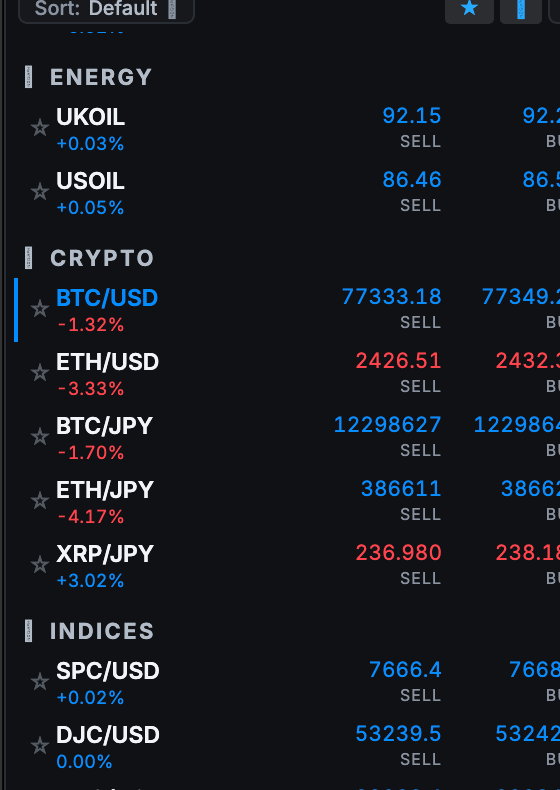
The FlowFX Desktop market watch listing instruments across energy, crypto, indices and stocks with live sell and buy prices

Market watch

Instruments grouped by market family, with live two-way prices on the list itself.

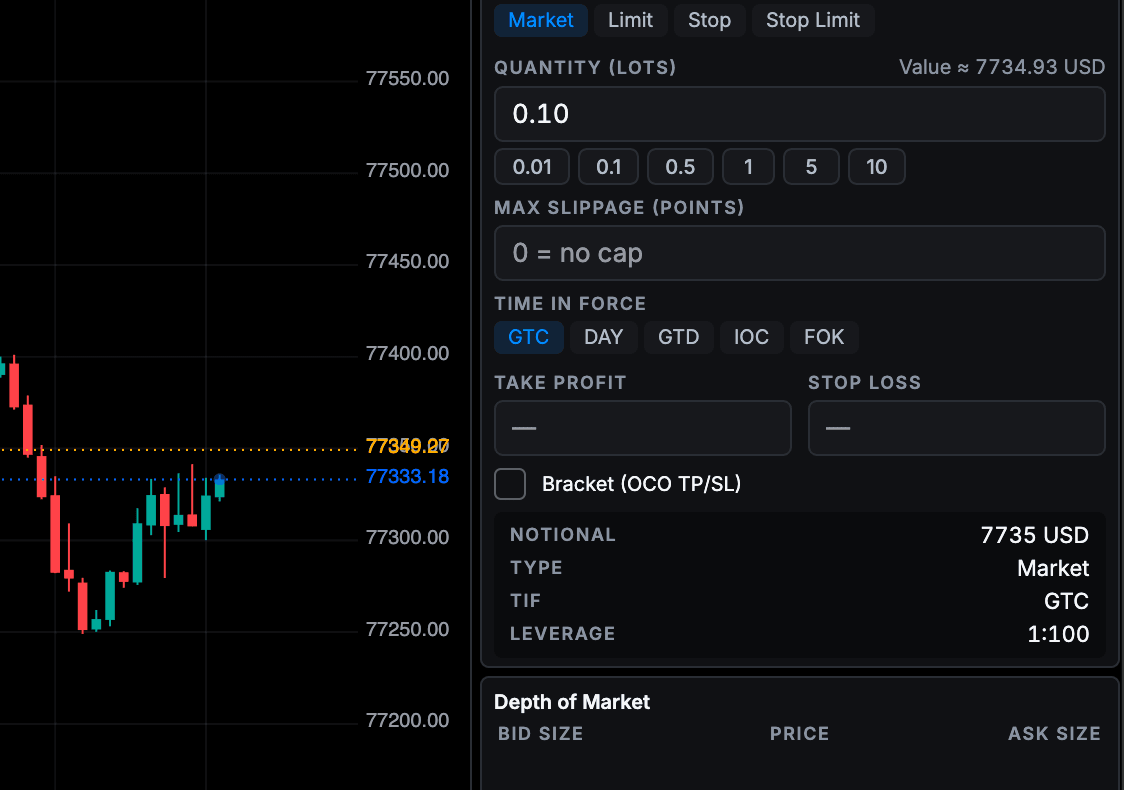
The FlowFX Desktop order ticket beside the depth of market showing bid and ask sizes with the current spread

Ticket & depth

Market, limit, stop and stop-limit types with the depth ladder attached to the ticket.

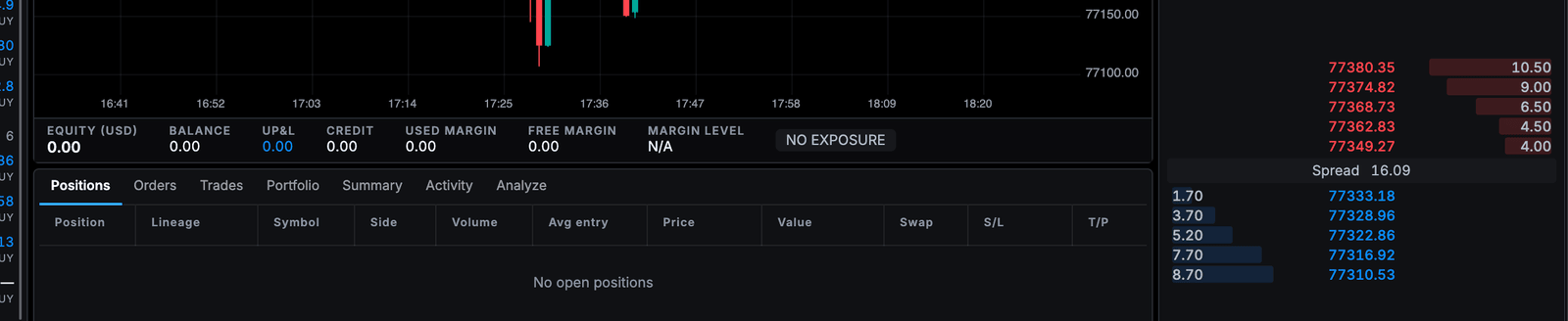
The FlowFX Desktop positions and orders strip with account metrics and order management tabs

Positions & orders

Open state, working orders and account metrics on one strip under the chart.

Structured details

FlowFX Desktop in four steps

Step
1. Download
What happens
Installer delivered through the client portal only
Step
2. Sign in
What happens
Account credentials with device confirmation
Step
3. Build the room
What happens
Dock panels and save the first layout
Step
4. Go live
What happens
Same account state as web and mobile, instantly

Keep exploring

The next detail should be easy to find.

Frequently asked

Start with the facts.

Answers describe the current published position. Final terms are confirmed per legal entity and shown in the client portal before an account trades.

The desktop application supports modern Windows and macOS, delivered exclusively through the client portal.

Next step

Use the conditions in view.

Registration creates a FlowFX client portal login. Trading approval follows identity verification and eligibility review.

Create portal access